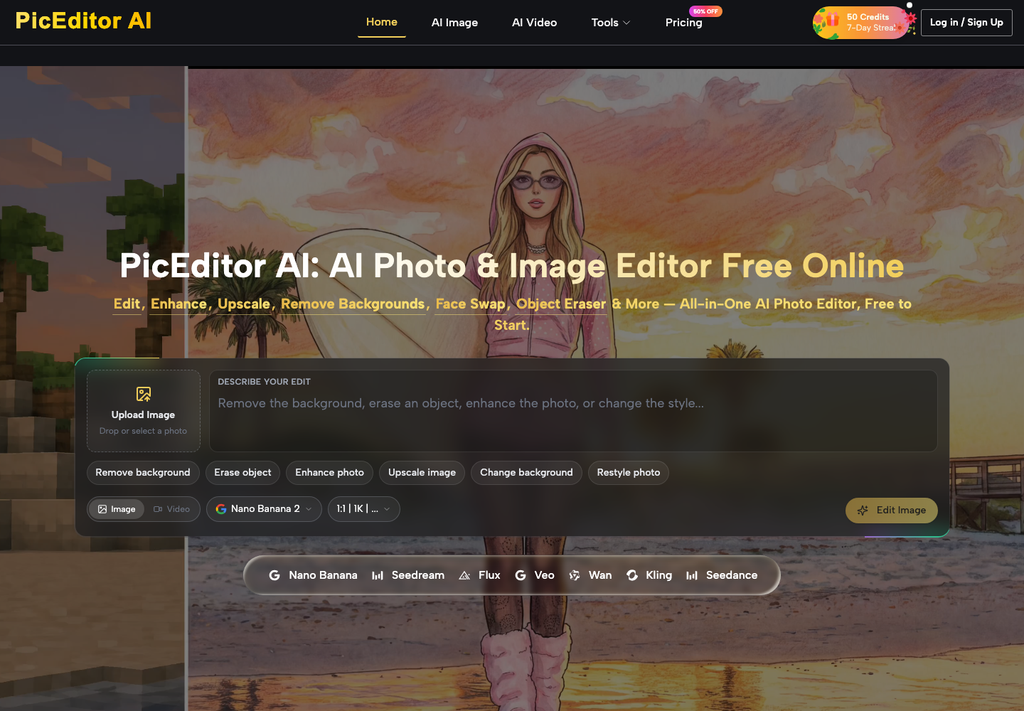
Entertainment desks frequently struggle to convert static promotional stills into engaging short-form video content without complex rigging. Deploying an adaptable AI Photo Editor solves that disconnect, enabling creators to polish source frames and transition directly into cinematic motion clips.
In the modern streaming and digital entertainment landscape, static key art alone no longer captures audience attention on crowded discovery feeds. Streaming services, production houses, and promotional agencies must generate animated banners, vertical video teasers, and dynamic character spotlights for every premiere. Recommendation algorithms on mobile social platforms consistently prioritize moving video cards over static graphics, making animated previews essential for maximizing viewer retention and click-through metrics.
Traditionally, animating an approved theatrical poster or episodic still required handing the static asset to a motion graphics department for multi-day 3D projection mapping and manual frame interpolation. This multi-stage handoff introduced latency that clashed with fast-breaking streaming announcements and dynamic press release cycles.
The Disconnect Between Static Marketing Stills And Short Form Video
The core bottleneck in entertainment asset production stems from the rigid divide between 2D design departments and video finishing suites. Graphic designers craft key art in static raster formats, focusing exclusively on typography, dramatic color grading, and layered subject lighting. When social media managers request an animated teaser, motion artists must reconstruct those layered elements from scratch.
This fragmented workflow introduces severe friction during fast-turnaround campaign cycles. If an upcoming trailer drops unexpectedly or release dates shift, producing coordinated motion teasers across TikTok, Instagram Reels, and web streaming carousels consumes dozens of billable studio hours. By the time motion assets clear rendering queues, initial promotional momentum has often evaporated.
Modern creative teams require an integrated pipeline that treats still photography and motion video as continuous expressions of the same visual narrative. Instead of managing separate tools for retouching and video synthesis, operators need platforms that transform master still captures into dynamic video clips within a unified creative environment.
Deconstructing The Hidden Production Costs Of Traditional Motion Pipelines
Analyzing traditional visual asset conversion exposes multiple points of unnecessary resource expenditure. Creative studios often overlook how much time and budget are swallowed by mechanical preparatory tasks before actual creative animation begins.
Managing Complex Multi Layer Rigging And Texture Splitting Delays
In conventional motion design, taking a static still into a 2.5D animated sequence requires painstakingly painting out backgrounds behind characters, feathering alpha borders, and manually inpainting occluded textures. If a character shifts three inches during a virtual camera move, any missing background elements immediately reveal glaring black holes or stretched pixels.
Junior animators routinely spend entire shifts generating clean background plates and separating foreground subjects into isolated visual planes. This tedious mechanical preparation inflates project overhead without adding unique aesthetic value to the campaign.
Overcoming Disjointed Version Control Between Design And Motion Units
When static key art undergoes late-stage client revisions—such as a costume color tweak, actor retouching, or lighting refinement—those changes must be manually propagated into the motion graphics project. Discrepancies between static posters and animated social cards frequently trigger costly re-renders and client disputes.
A centralized platform eliminates this version divergence. By performing high-resolution retouching, color normalization, and motion generation within PicEditor, creative desks ensure that the exact approved visual characteristics carry forward into synthesized video sequences without manual asset re-linking.
Establishing A Unified Bridge From High Resolution Stills To Dynamic Motion
Bridging still photography and cinematic video requires neural architectures capable of understanding spatial depth and temporal coherence. Rather than treating an image as a flat grid of colored pixels, advanced generative models interpret scene geometry, identifying physical volumes, light sources, and logical planes of movement.

Deploying a versatile AI Image Editor equipped with multimodal video backends allows creators to upload high-resolution key art and immediately direct subtle motion. Engines such as Veo 3 and Kling 2.5 analyze the uploaded composition, preserving actor likeness and lighting mood while synthesizing believable atmospheric drift, camera push-ins, or character micro-expressions.
This unified approach democratizes cinematic promotional design. Boutique distributors and independent media channels can produce broadcast-caliber motion posters that match the visual polish of major studio releases, operating with agile teams rather than sprawling visual effects departments.
Moreover, campaign managers can readily generate assets formatted for diverse display dimensions, including 16:9 landscape monitors, 1:1 square feeds, and 9:16 vertical smartphone screens, ensuring seamless distribution across all target media channels.
Configuring Source Still Assets For Predictable Neural Motion Synthesis
Achieving stable, flicker-free video generation depends fundamentally on the quality and preparation of the initial still frame. Neural motion engines extrapolate movement from existing visual cues; feeding low-resolution or cluttered source images into a video generator amplifies visual noise across consecutive frames.
Isolating Foreground Focal Characters Before Initiating Animation
Before launching motion synthesis, editors should clean and optimize the starting still. Utilize automated background removal or object erasure to eliminate distracting lens flares, unwanted peripheral props, or messy edge artifacts. Sharpening focal facial features and boosting local contrast provides the neural engine with clear structural anchors, preventing facial warping or textural melting during animated camera pans.
PicEditor facilitates this preparation by offering 2X and 4X neural upscaling directly alongside editing tools. Enhancing source resolution before motion generation ensures that fine hair strands, fabric weaves, and environmental particles maintain crisp definitions throughout the resulting video clip.
Guiding Native Audio Generation And Temporal Camera Paths
Modern video models like Veo 3 extend visual synthesis by incorporating native audio generation. When animating an atmospheric scene—such as rain falling on neon-lit city streets—the system can synthesize synchronized ambient soundscapes directly alongside visual frames. Specifying clear camera trajectories such as slow tracking shots or subtle orbital pans prevents disorienting perspective shifts and produces immersive, production-ready promotional snippets.
Quality Assurance Checklist For Streaming And Social Distribution
Before distributing synthesized motion assets across public entertainment channels, editorial teams should execute a systematic pre-flight review protocol. Ensuring consistent quality across diverse display viewports protects brand reputation and viewer engagement.
- Inspect Subject Fidelity at Playback Transitions: Scrub through the synthesized video clip frame by frame, checking that facial features, brand logos, and clothing contours do not warp or drift noticeably from the original master still.
- Verify Frame Rate and Temporal Smoothness: Confirm that motion playback remains fluid without stuttering or temporal ghosting, particularly around fast-moving background elements or lighting flares.
- Evaluate Native Aspect Ratio Framing: Test horizontal 16:9 widescreen exports against vertical 9:16 mobile crops to ensure that essential dramatic action remains centered and legible across all platform safe zones.
- Check Audio Synchronization and Levels: If utilizing native audio synthesis, verify that ambient effects align naturally with visible visual cues and do not clip or distort on mobile speaker hardware.
- Review Color Profile Consistency: Ensure that exported MP4 files match the color grading and contrast saturation of the original promotional key art without muddy compression artifacts.
Following this structured checklist ensures that every generated video clip delivers high visual impact while avoiding telltale computational glitches that detract from the viewer experience.
Unlocking Rapid Asset Turnaround Across Fast Paced Media Channels
The convergence of advanced image retouching and generative motion modeling marks a transformative milestone for digital entertainment marketing. Visual desks no longer operate under the constraint of choosing between slow, expensive custom animation and static, low-engagement banner displays.
By centralizing figure refinement, resolution enhancement, and motion synthesis within PicEditor, creative teams unlock unprecedented production velocity. Promotional campaigns can launch multi-channel motion assets simultaneously with trailer releases, maintaining visual continuity and capturing audience imagination across every digital touchpoint.